API Documentation
Generate professional SVG badges for AI content disclosure with our simple REST API.
Quick Start
Generate your first AI disclosure badge with a simple HTTP request:
GET /api/svg?ai_generated_percentage=65&ai_reviewed_percentage=35&theme=lightOr embed directly in HTML:
<img src="https://sit.aid.urbanb.org/api/svg?ai_generated_percentage=65&ai_reviewed_percentage=35" alt="AI Disclosure">Authentication
The SVG generation endpoint is publicly accessible. However, for protected endpoints or rate-limited access, use OAuth 2.0 authentication.
/api/svg endpoint does not require authentication
for basic usage. Authentication is optional but recommended for tracking and rate limiting.
SVG Endpoint
Generate an SVG badge showing AI content disclosure percentages.
Parameters
| Parameter | Type | Default | Description |
|---|---|---|---|
ai_generated_percentage |
integer | 50 | Percentage of AI-generated content (0-100) |
ai_reviewed_percentage |
integer | 50 | Percentage of AI-reviewed content (0-100) |
theme |
string | light | Color theme: light or dark |
bar1_border_color |
string | (theme default) | Border color for AI generated bar (hex, e.g., #00F0FF) |
bar1_fill_color |
string | (theme default) | Fill color for AI generated bar (hex) |
bar2_border_color |
string | (theme default) | Border color for AI reviewed bar (hex) |
bar2_fill_color |
string | (theme default) | Fill color for AI reviewed bar (hex) |
title |
string | AI Content Disclosure | Custom title text |
description |
string | (default text) | Custom description text |
Examples
Basic Usage
curl "https://sit.aid.urbanb.org/api/svg?ai_generated_percentage=70&ai_reviewed_percentage=40"Dark Theme
curl "https://sit.aid.urbanb.org/api/svg?ai_generated_percentage=80&ai_reviewed_percentage=5&theme=dark"Custom Colors
curl "https://sit.aid.urbanb.org/api/svg?ai_generated_percentage=50&ai_reviewed_percentage=50&bar1_fill_color=%237C3AED&bar2_fill_color=%2310B981"OAuth 2.0 Overview
The API supports OAuth 2.0 for secure authentication. Two grant types are available:
- Authorization Code Flow: For user-authorized applications
- Client Credentials: For server-to-server communication
OAuth Endpoints
| Authorization Endpoint | /oauth/authorize |
| Token Endpoint | /oauth/token |
Client Credentials Flow
For server-to-server authentication without user context:
curl -X POST "https://sit.aid.urbanb.org/oauth/token" \
  -d "grant_type=client_credentials" \
  -d "client_id=YOUR_CLIENT_ID" \
  -d "client_secret=YOUR_CLIENT_SECRET"
Embedding SVGs
HTML Image Tag
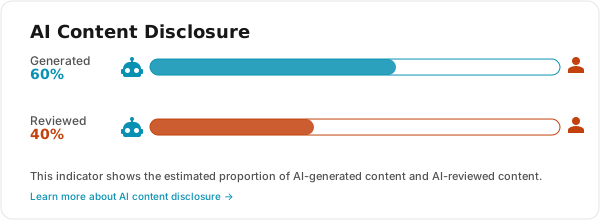
<img src="https://sit.aid.urbanb.org/api/svg?ai_generated_percentage=60&ai_reviewed_percentage=40"
     alt="AI Content Disclosure"
     width="600">
Markdown
Object Tag (Interactive)
<object type="image/svg+xml"
        data="https://sit.aid.urbanb.org/api/svg?ai_generated_percentage=60&ai_reviewed_percentage=40"
        width="600">
  AI Content Disclosure Badge
</object>
Theming
The API supports light and dark themes to match your website's design.
Use the theme parameter to switch between them.
Light Theme
?theme=light
Dark Theme
?theme=dark
Custom Color Override
You can override the default theme colors using the color parameters. Colors should be provided as URL-encoded hex values.
# Purple AI generated bar, Green AI reviewed bar
?bar1_fill_color=%237C3AED&bar2_fill_color=%2310B981

# Note: # is encoded as %23